

Create Real-time Journey
This is the last post of this series. In this post, we’ll bring everything together by building a Real-time Journey in Customer Insights – Journeys that sends an email to the internal team based on the contact’s location.
Create the Real-Time Journey
- Create a Real-time Journey with the below configurations. It’s optional to select “Contact Us”, however, in this example, we’re going to select the Form we’ve created in the previous post [Part 1].
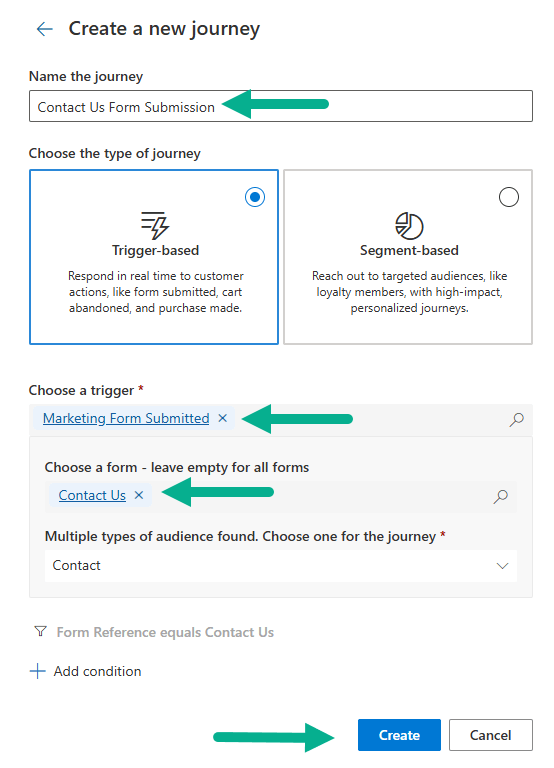
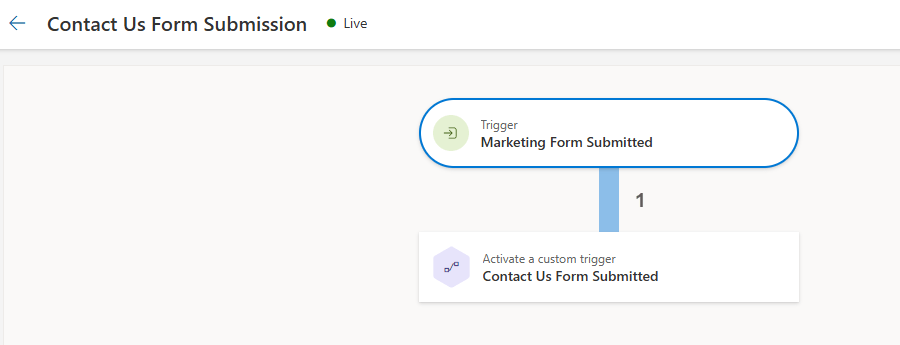
Below is a simple journey where Contact will enter to this journey upon submitting Contact Us Form.
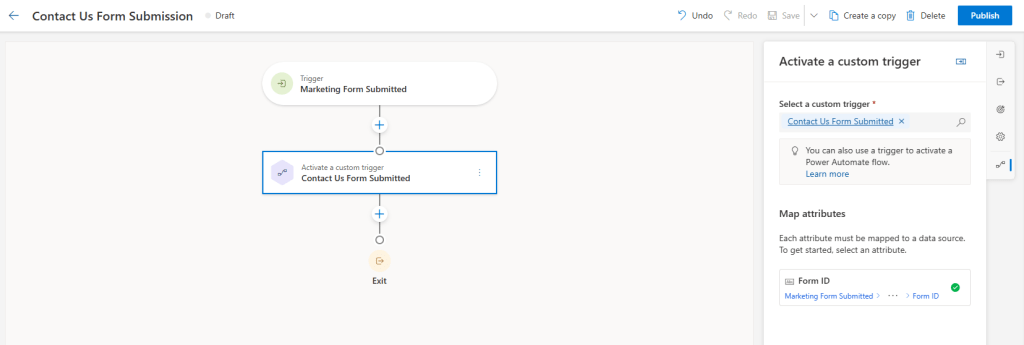
Below is the definition of Form ID – which we’ve configured in the Custom Trigger in [Part 2]. This is being used in the [Part 3] to retrieve Form Details in Power Automate Flow.
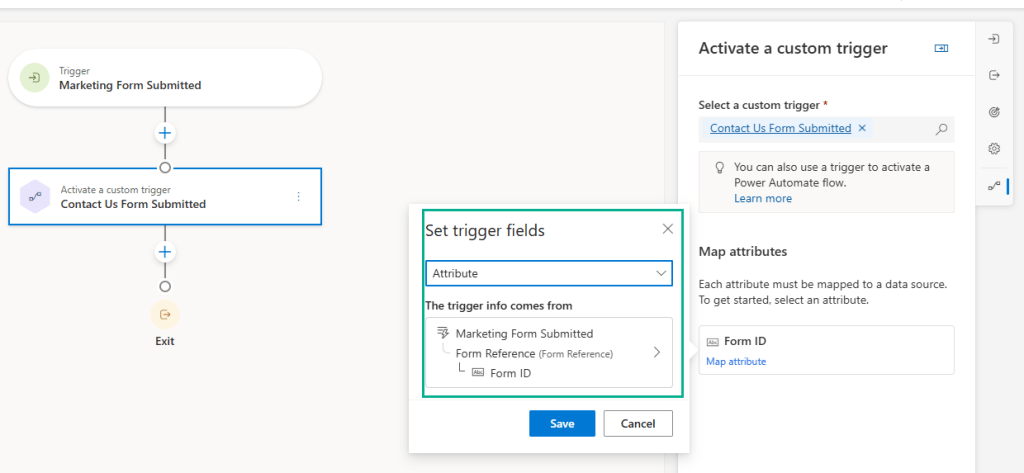
Once the journey is configured, Publish.
Testing and Verification
Publish the Form
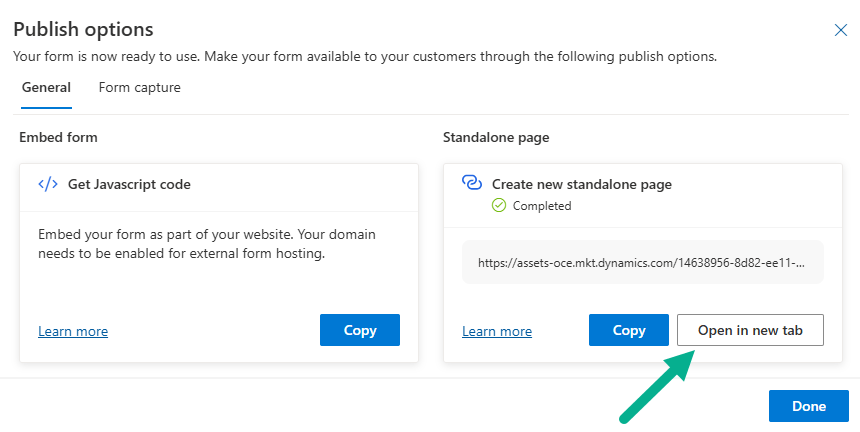
Now, go back to the Contact Us Form created in [Part 1]. Follow the below steps.
- Click Publish options
- Click Open in new tab to launch the form in a standalone view
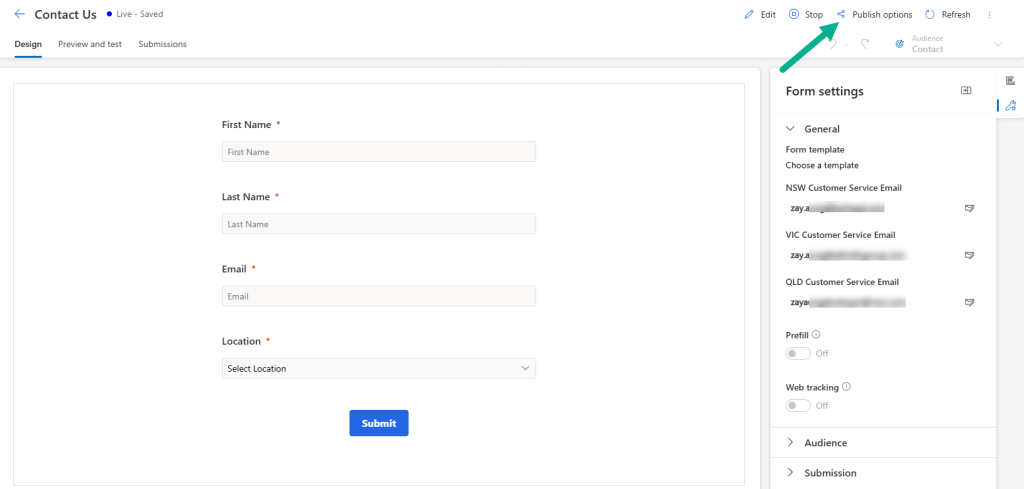
Submit the Form
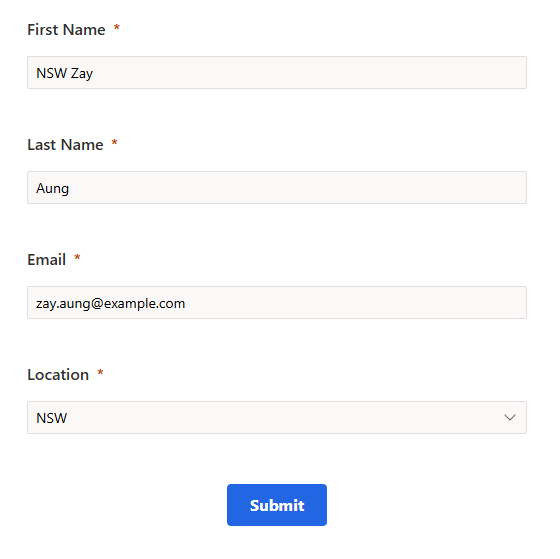
- Fill in the required details (e.g., First Name, Email, Location).
- Click Submit.
Check Form Submission
Once the Form is submitted, go to the Form -> click “Submissions” tab. The new submission record with recently created submitted details should be created.
Verify the Journey
Navigate to the Real-time journey created, and confirm that the contact has entered the journey based on the form submission.

Confirm Power Automate Flow Execution
You can also verify Power Automate Flow by checking the history. You should see a successful run tied to the form submission.

Confirm Internal Email Receipt
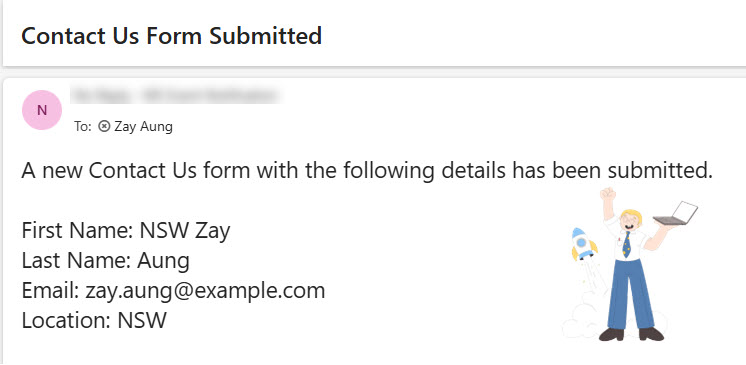
If everything is working correctly, the internal email address (defined in the marketing form) should receive the email based on the contact’s location.
Summary
In this final post, we’ve:
- Created and published the Real-time Journey
- Submitted the form and verified each component:
- Form submission
- Journey trigger
- Power Automate execution
- Internal email delivery
It’s just one of the examples, and you can reuse across similar scenarios – for example – event registration.

